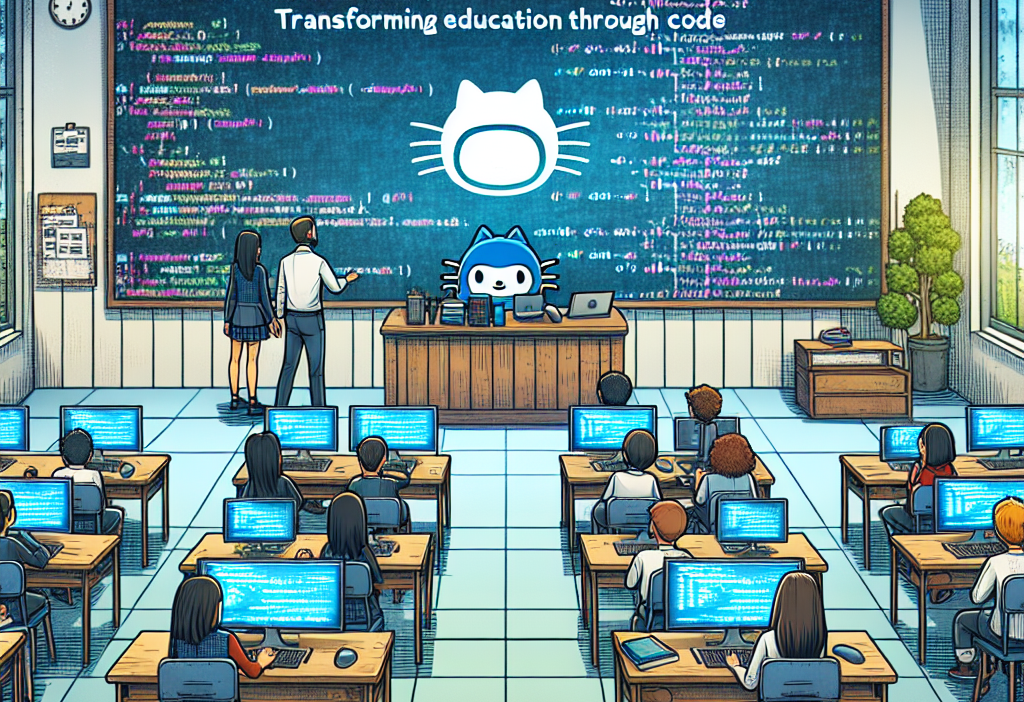
Introduction
In today’s rapidly evolving educational landscape, technology plays a pivotal role in how instructors teach and students learn. One of the transformative platforms making waves in this arena is GitHub Classroom. This innovative tool is reshaping traditional educational paradigms through its seamless integration of coding, collaboration, and mentorship. If you’re an educator, student, or tech enthusiast, understanding GitHub Classroom can provide you with key insights into how coding can revolutionize education.
In this article, we will delve deep into GitHub Classroom, illustrating its functionalities, benefits, and practical applications. By the end, you’ll have a comprehensive understanding of how this platform is not just about code; it’s about empowering learners in a digital age.
What is GitHub Classroom?
GitHub Classroom is a free platform designed to facilitate teaching and learning through version control. It allows educators to create individual assignments, manage student repositories, and provide feedback efficiently. The integration of GitHub’s tools with classroom activities transforms coding assignments from mere tasks into rich learning experiences.
Key Features of GitHub Classroom
- Assignment Management: Teachers can easily create assignments and distribute them to students.
- Integration: Seamless integration with platforms such as GitHub, allowing for smooth collaboration.
- Automated Grading: Using continuous integration, assignments can be automatically graded via testing in real-time.
- Feedback Mechanism: Providing effective feedback becomes effortless with comment tools embedded within the platform.
Why Is GitHub Classroom Important?
The significance of GitHub Classroom in education cannot be understated. Here are several pivotal reasons:
- Hands-on Learning: Students engage directly with code, enhancing practical skills.
- Collaboration: Promotes teamwork among students, mimicking real-world coding environments.
- Scalability: Can manage varying class sizes, from small workshops to large university courses.
- Accessibility: Free to use, making it accessible for educational institutions worldwide.
How GitHub Classroom Transforms Education
1. Enhanced Collaboration Through Version Control
One of the core tenets of GitHub Classroom is its robust collaboration infrastructure. When students work on projects, they can track changes, revert to previous versions, and collaborate in real-time—all skills invaluable in professional coding environments.
- Example: A group project in a software development course can involve multiple students contributing simultaneously. With GitHub Classroom, students learn to manage their code through proper branching, merging, and resolving conflicts. This mirrors industry practices, putting students a step ahead in their future careers.
2. Flipped Classroom Model Adaptation
Many educators are adopting the flipped classroom model, where traditional lecture components are viewed outside of class, allowing classroom time to be dedicated to hands-on activities. GitHub Classroom supports this model effectively.
- Practical Implementation: Educators can assign video lectures and foundational reading as homework, while in-class sessions focus on applying that knowledge through collaborative coding exercises on GitHub. This method engages students more deeply, enhancing their understanding and retention.
3. Personalized Learning Experiences
With GitHub Classroom, instructors can tailor assignments to suit different skill levels. This personalized approach ensures that each student receives a learning experience conducive to their proficiency.
- Adaptive Feedback: Instructors can monitor individual contributions and provide customized feedback. For example, if a student struggles with a specific coding concept, the instructor can offer targeted resources or one-on-one support.
4. Streamlined Assessment and Feedback
Gone are the days of tedious grading processes. GitHub Classroom provides tools for efficient assessments through automated grading scripts and feedback mechanisms.
- Automated Testing: Educators can integrate testing suites that automatically grade code submissions. This significantly reduces grading time and helps maintain consistent evaluation standards. Students receive immediate feedback on their work, allowing them to learn from mistakes and improve continuously.
5. Real-World Skills Development
Students using GitHub Classroom acquire essential skills valued by employers. Beyond coding, they learn about version control, project management, and collaboration—competencies that are crucial in tech-driven industries.
- Real-World Application: The platform equips students to work in teams, manage projects, and contribute to live coding projects, allowing them to emerge job-ready upon graduation.
Practical Implementation of GitHub Classroom
Getting Started with GitHub Classroom
Setting Up:
- Visit GitHub Classroom.
- Sign in using your GitHub Account.
- Create a new classroom and invite students using their GitHub usernames.
Creating Assignments:
- Select “Create Assignment” and fill out the necessary details, including the repository template and starter code.
- Assign due dates and distribute the assignments to students.
- Monitoring Progress:
- Use the dashboard to track student submissions, view individual repositories, and provide feedback.
Managing Student Repositories
In GitHub Classroom, each student receives a unique repository for their assignments. This structure promotes accountability and ensures that submitted work is distinctly organized.
- Repository Structure: A standardized structure for assignments helps students understand expectations and maintain consistency across projects.
Engaging Students with Projects
Projects can be customized to reflect current industry practices, encouraging students to think critically and creatively. Incorporating real-world challenges can elevate engagement levels.
- Example Project: A coding challenge where students must build a webpage that integrates various APIs can foster collaboration and problem-solving.
Ensuring a Successful Experience with GitHub Classroom
Best Practices for Educators
- Clear Communication: Outline expectations and instructions clearly for students to reduce confusion.
- Regular Check-Ins: Schedule regular assessments or feedback sessions to gauge student progress.
- Resource Sharing: Provide students with online resources, tutorials, or forums where they can seek help.
Encouraging Student Engagement
- Interactive Activities: Incorporate group discussions, peer reviews, and hackathons to spark interest.
- Recognition: Celebrate student achievements—small milestones matter and encourage further engagement.
Addressing Challenges
While GitHub Classroom is a powerful tool, it’s crucial to acknowledge potential challenges:
- Technical Issues: Ensure that students have adequate technical support.
- Learning Curve: Provide training sessions on using GitHub, especially for newcomers.
Visualizing the Impact
Insert Image: Workflow of GitHub Classroom
Illustrate how assignments flow from creation to submission.
Insert Image: GitHub Dashboard
Showcase how teachers can manage student repositories.
Conclusion
In conclusion, GitHub Classroom: Transforming Education through Code offers a groundbreaking approach to education that harnesses the power of technology and coding. Through collaboration, personalized learning, and accessible assessment methods, it prepares students for their future careers while making learning engaging and interactive.
As educators and learners embrace these tools, we witness not just the evolution of coding education, but a shift towards a more collaborative, skill-driven learning environment. Let’s transform the educational landscape—one line of code at a time.
FAQs
1. What is GitHub Classroom?
GitHub Classroom is an educational tool that allows educators to create and manage coding assignments within a collaborative environment, leveraging GitHub functionalities.
2. Is GitHub Classroom free?
Yes, GitHub Classroom is free for educators and students, making it an accessible tool for coding education.
3. Can GitHub Classroom be used for non-coding subjects?
While primarily focused on coding, GitHub Classroom can be adapted for projects in various fields, encouraging collaborative research and documentation.
4. How does automated grading work in GitHub Classroom?
Educators can set up automated tests that run on student submissions, providing feedback based on test outcomes, which saves time and standardizes assessments.
5. What are some challenges faced when using GitHub Classroom?
Challenges can include technical difficulties, the learning curve associated with using GitHub, and the necessity for consistent internet access.
By leveraging platforms like GitHub Classroom, we embark on an exciting journey transforming education, nurturing a generation of skilled coders and efficient collaborators. Embrace this technological leap—because the future of education is not just in classrooms; it’s in code!